"Get an M.2 SSD" is common advice, but it causes more wrong orders than almost any other storage term. M.2 describes the shape and connector. The interface that decides speed is either SATA or NVMe over PCIe. Understanding both layers is the key to choosing a drive that fits, works and performs as expected.
Interface vs form factor: two different questions
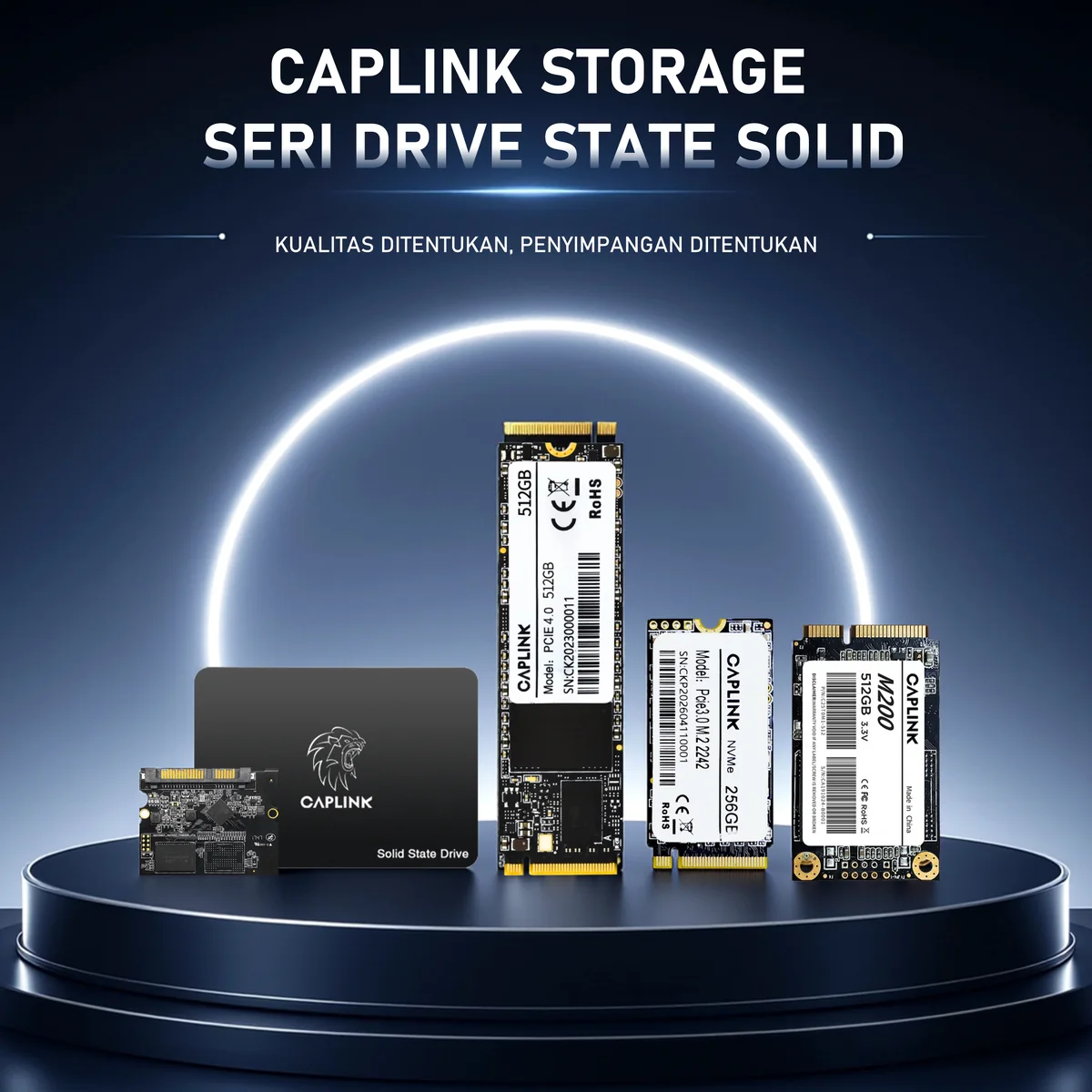
Every SSD answers two questions: how is it shaped (2.5-inch, M.2, mSATA) and how does it talk to the computer (SATA or NVMe/PCIe). A 2.5-inch drive is always SATA. mSATA is always SATA. M.2 can be either, which is why an M.2 SATA drive and an M.2 NVMe drive can look almost identical but behave very differently.
Real-world speed ceilings
| Interface | Link bandwidth | Typical sequential read |
|---|---|---|
| SATA III | 6 Gb/s | up to ~550 MB/s |
| PCIe 3.0 ×4 NVMe | ~3.9 GB/s | up to ~3,500 MB/s |
| PCIe 4.0 ×4 NVMe | ~7.9 GB/s | up to ~7,000+ MB/s |
| PCIe 5.0 ×4 NVMe | ~15.8 GB/s | up to ~14,000 MB/s |
Sequential numbers are only part of the story. NVMe was designed for flash memory from the start, with many deep command queues and far lower protocol overhead than SATA, which was built for spinning hard drives. The result is better responsiveness under heavy, parallel workloads, not just bigger headline speeds.
PCIe generations are backward compatible: a PCIe 4.0 SSD works in a PCIe 3.0 slot at PCIe 3.0 speed. This lets one drive model serve several generations of hardware.
SSD form factors compared
| Form factor | Size | Interface | Typical devices |
|---|---|---|---|
| 2.5-inch | 100 × 69.85 × 7 mm | SATA | Desktops, older laptops, NAS, upgrades from HDD |
| M.2 2280 | 22 × 80 mm | SATA or NVMe | Most laptops, desktops, workstations |
| M.2 2242 | 22 × 42 mm | SATA or NVMe | Compact laptops, mini PCs, thin clients, industrial boards |
| mSATA | 50.8 × 29.85 mm | SATA | Legacy laptops, embedded and industrial systems |
The four digits in an M.2 size are width and length in millimetres: 2280 is 22 mm wide and 80 mm long. Before ordering, confirm which lengths the device's mounting screw positions support.
M.2 keys and slot support: avoid the most common mistake
M.2 connectors have notches called keys. NVMe SSDs normally use the M key. M.2 SATA SSDs usually have B+M keys so they fit more slots. Fitting physically does not guarantee it will work, though:
- Some M.2 slots support only NVMe; a SATA M.2 drive will not be detected.
- Some older or budget slots support only SATA; an NVMe drive will not be detected.
- On some desktop boards, using a SATA-mode M.2 slot disables one or two SATA ports.
Check the device manual for the words "PCIe", "NVMe" or "SATA" next to the M.2 slot, together with the supported lengths.
What else separates one SSD from another
- NAND type. TLC (3 bits per cell) offers a strong balance of endurance and cost; QLC (4 bits) lowers cost per gigabyte with lower write endurance, suited to read-heavy use.
- DRAM cache. Drives with a DRAM cache hold their mapping tables in fast memory and handle random writes better. DRAM-less NVMe drives use Host Memory Buffer (HMB), borrowing a little system RAM, which works well for everyday use.
- SLC cache and sustained writes. Most consumer SSDs write to a fast SLC cache first. Once it fills during long transfers, speed drops to the native NAND speed, so check sustained-write figures for video capture or imaging workloads.
- Endurance (TBW). Terabytes Written is the warranted write volume. Compare TBW per capacity when drives will face constant logging or caching.
- Thermals. PCIe 4.0 drives can throttle in enclosed spaces. Use the motherboard's M.2 heatsink or ensure airflow in mini PCs.
Which SSD should you choose?
| Scenario | Recommended |
|---|---|
| Replacing a hard drive in an older laptop or desktop | 2.5-inch SATA SSD |
| New mainstream laptop or desktop | M.2 2280 NVMe PCIe 3.0 or 4.0 |
| Compact laptop, mini PC or thin client with a short slot | M.2 2242 (SATA or NVMe, per slot support) |
| Legacy industrial PC, embedded board or older ultrabook | mSATA SSD |
| Workstation, video editing, gaming | M.2 2280 NVMe PCIe 4.0 with heatsink |
| Office fleet at lowest cost per unit | SATA or PCIe 3.0 NVMe, TLC NAND |
UNITRENTH offers SATA, mSATA and NVMe SSDs in 2.5-inch, M.2 2280 and M.2 2242 form factors, plus portable SSDs for external storage.
Frequently asked questions
Is every M.2 SSD an NVMe SSD?
No. M.2 is a physical form factor. An M.2 drive can use the SATA interface (about 550 MB/s maximum) or the NVMe interface over PCIe (several thousand MB/s).
Can I use a PCIe 4.0 SSD in a PCIe 3.0 slot?
Yes. PCIe is backward compatible, so the drive works normally at PCIe 3.0 speeds.
What is the difference between M.2 2280 and M.2 2242?
Only the size: both are 22 mm wide, while 2280 is 80 mm long and 2242 is 42 mm long. The interface (SATA or NVMe) is a separate specification.
Is mSATA the same as M.2 SATA?
No. Both use the SATA interface, but mSATA is an older, larger card with a different connector. They are not physically interchangeable.
Need a quote or samples?
Tell us your platform, volume and timeline — we reply within two business days.
Get a quote → View products